cTrader to cTrader Trade Copier
Repeat trades between cTrader accounts — naming usually agrees, so the account mode is what to check.
Two cTrader accounts are the easiest pairing to name. Both brokers follow the same convention, so the indices you trade are spelled the same way on each — US 500, GERMANY 40, JAPAN 225 — and a plain match usually works without a remap at all. Cross-broker differences don't vanish: the two lists can still diverge on decorations, on instruments one broker carries and the other doesn't, and on how many units make a lot. But the thing that actually breaks a copy here is account mode. A cTrader account is Hedged or Netted, decided when the broker created it, and a netted follower stops mirroring position for position at the second copy on a symbol. Demo accounts only; live real-capital accounts aren't supported for now.
7-day free trial · Card required, nothing charged if you cancel before it ends · Cancel anytime
Capabilities
What the cTrader to cTrader Trade Copier does.
One convention, both sides
cTrader brokers spell index CFDs with spaces — US 500, US TECH 100, GERMANY 40, JAPAN 225 — so two cTrader accounts usually agree on the string without any translation, which is exactly where a MetaTrader pairing needs the most work. Symbol remapping is still there per repeater for the instruments where two brokers do diverge.
Hedged or Netted is the real variable
cTrader labels each account on its authorisation screen. Trepeat tracks one follower position per source position, so a Hedged follower mirrors the source exactly; a Netted one merges same-symbol positions and diverges from the second copy onward. The alert fires at the moment a copy is about to stack on a symbol that follower already holds, which is the point at which its exposure stops matching the source.
One sign-in can cover both accounts
A single cTrader ID often holds several trading accounts, so one authorisation can surface both your source and your followers. You tick the accounts to authorise on cTrader's own site and then choose which to add here. An account created after that authorisation isn't included in it — use Reconnect on any of your cTrader accounts to sign in again and tick the new one.
Volume still belongs to each broker
cTrader expresses volume in units of the instrument, and how many units make a lot is a per-symbol figure that two brokers can set differently on the same instrument. Trepeat reads each follower symbol's own minimum, step and maximum and snaps the copy to them, skipping anything below the minimum rather than submitting an order that would be refused.
Brokers
Plug into the platforms traders already use.
MetaTrader 4 and MetaTrader 5 on demo servers — which is what prop-firm evaluation and funded accounts usually run on — and cTrader demo accounts. Copy within one platform or across them, in either direction.
 Available
 Available
 Available
How It Works
One dashboard. Every account.
Connect your accounts, configure a repeater, press Run — then watch every screen work in real time.
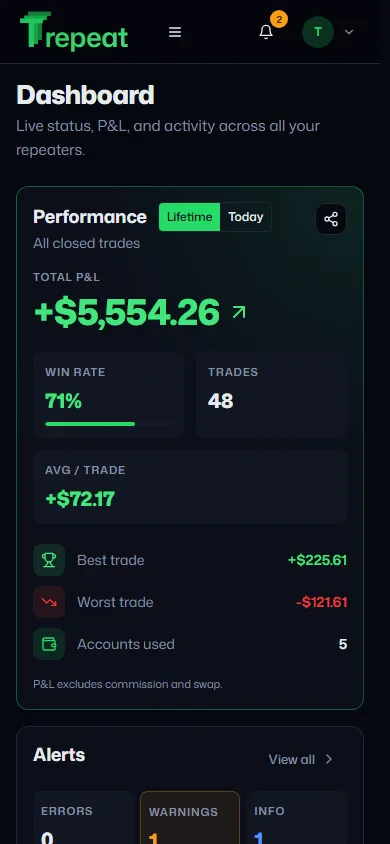
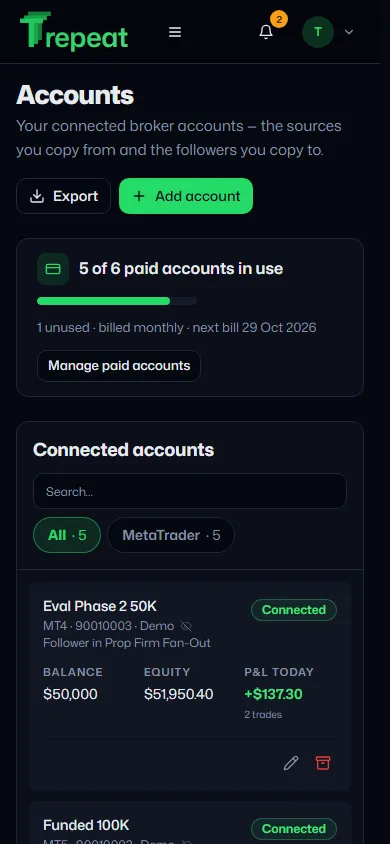
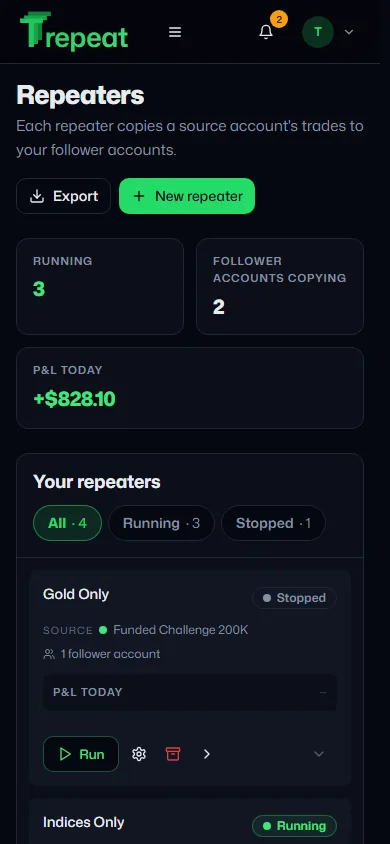
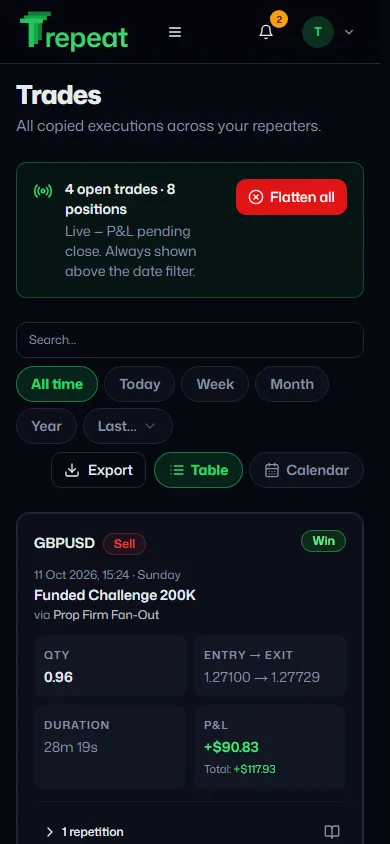
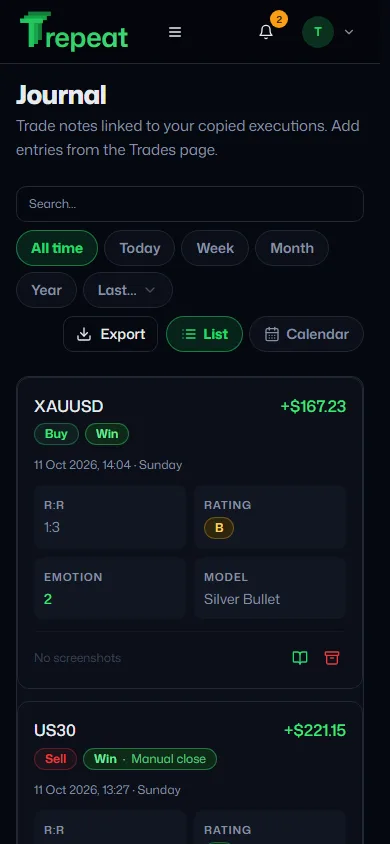


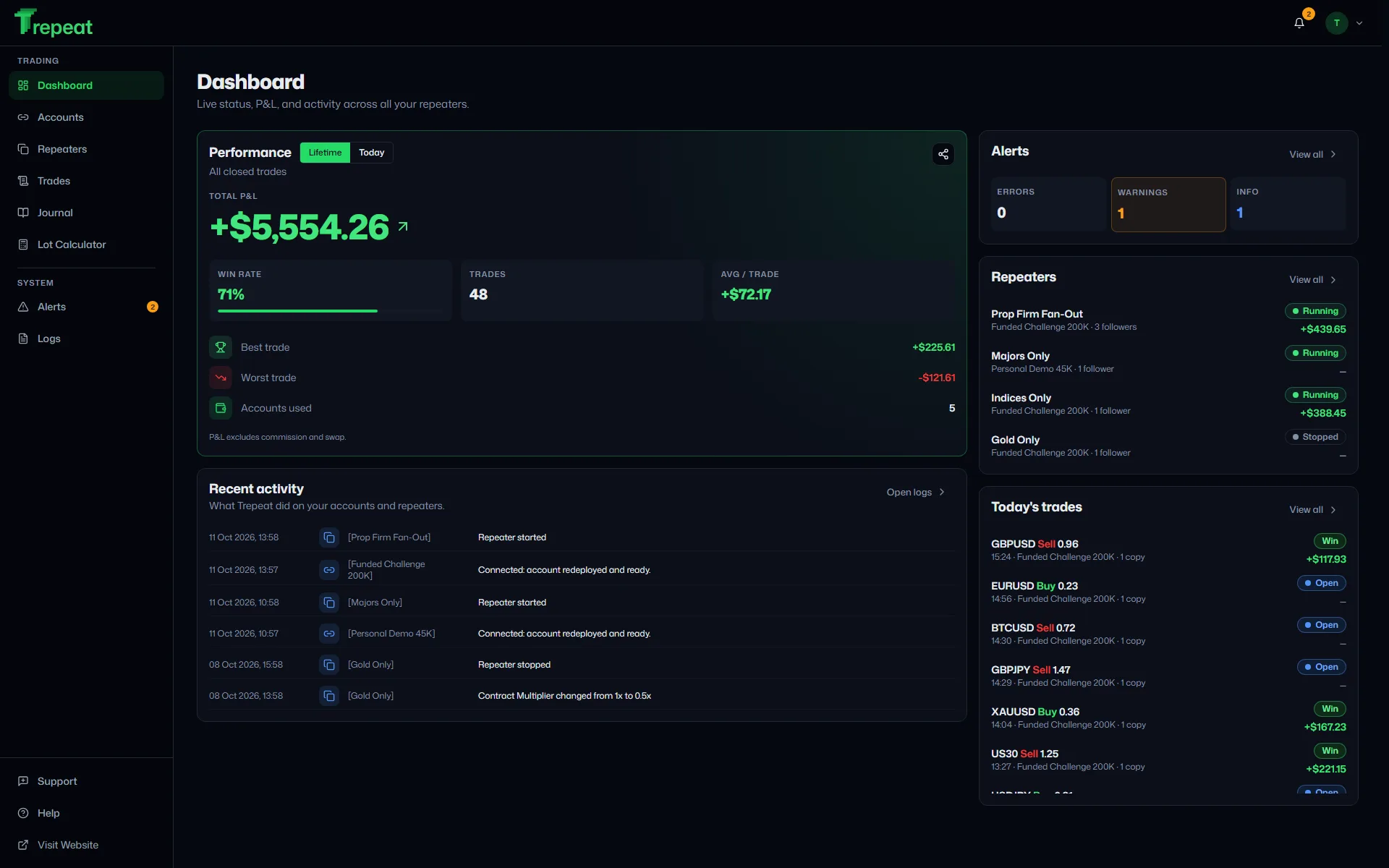
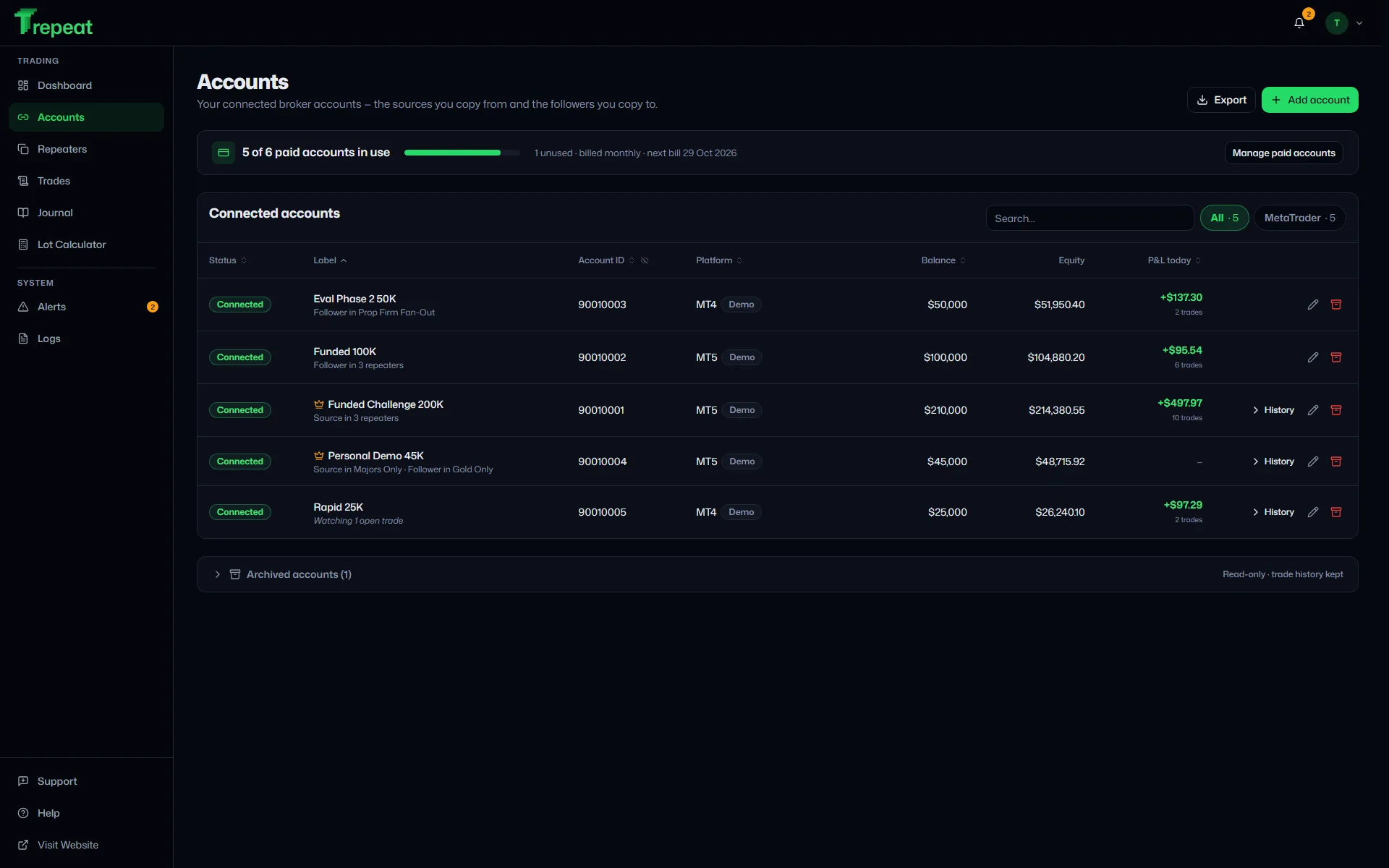
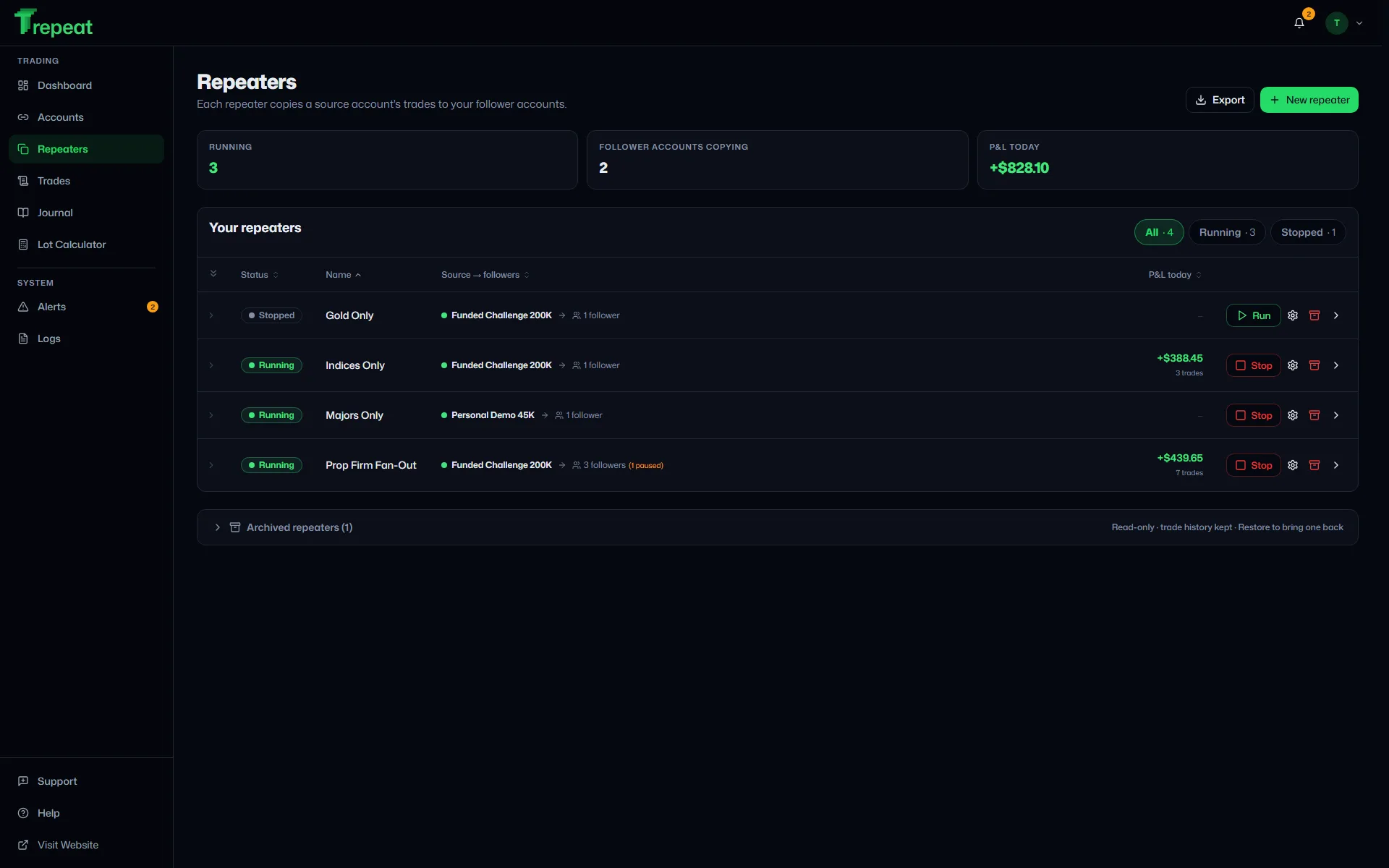
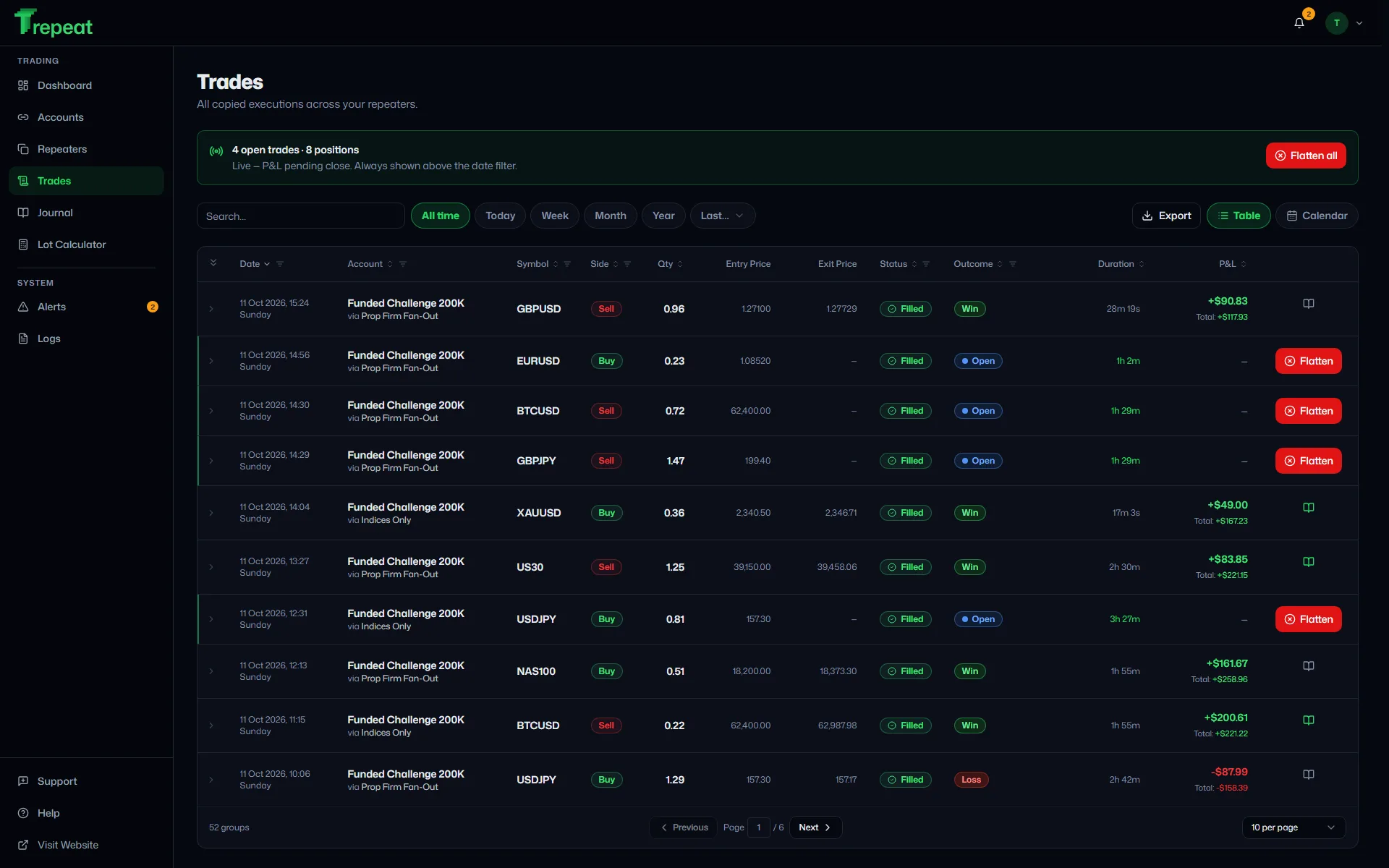
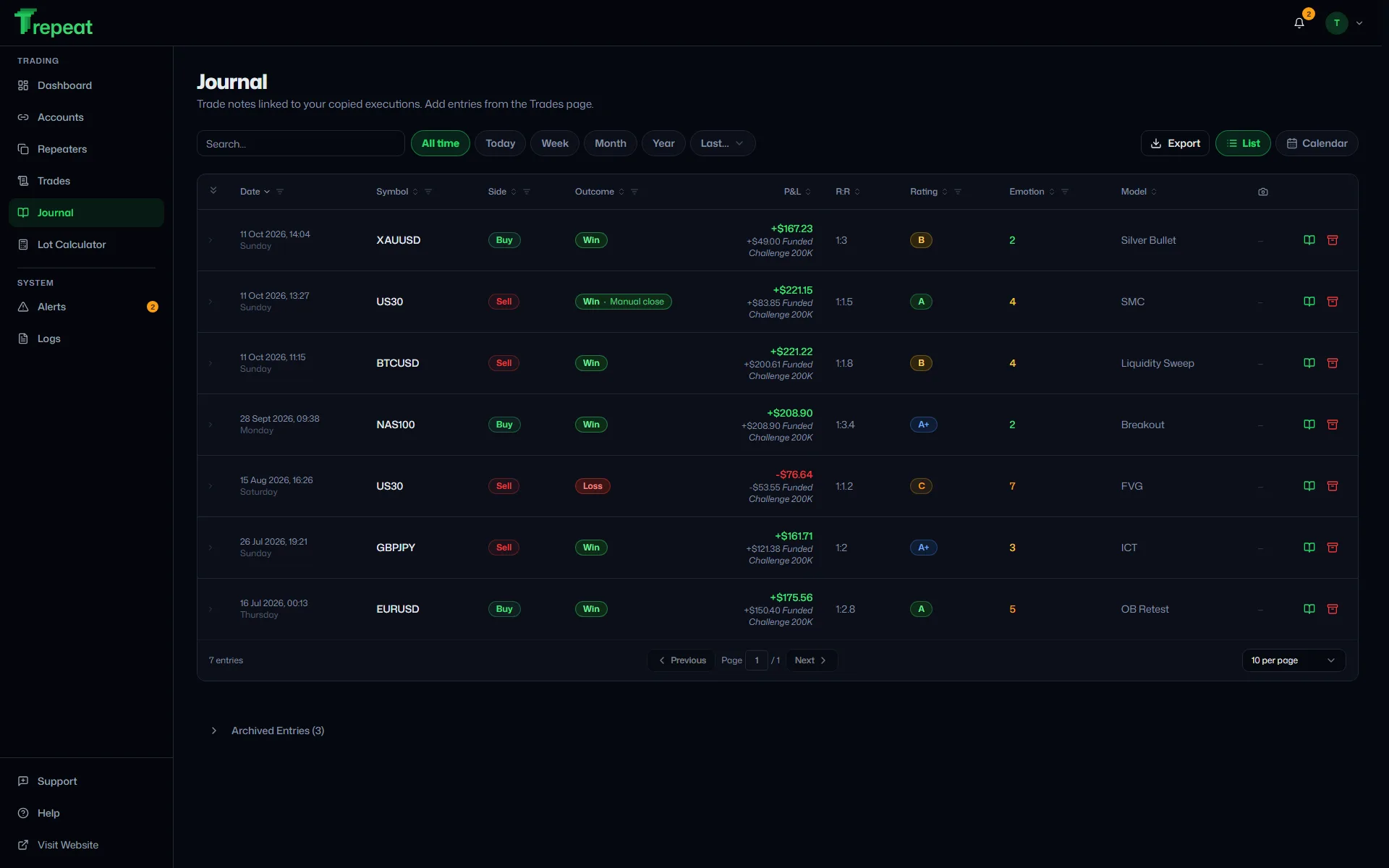
Live status, P&L, and per-account performance at a glance.
Features
Built for prop traders.
Every feature you need to repeat trades reliably across multiple accounts — and nothing you don’t.
Real-Time Repeat Latency
WebSocket fills are detected the moment they happen and dispatched to every follower. On reconnect the engine closes copies whose source has already closed, and alerts you when it can't close one safely.
Live Floating P&L
Open trades update in real-time across every connected account. One unified view of source + follower performance, refreshed continuously without polling — and the same view on a phone or tablet, where tables become cards rather than shrinking.
Magic-Filter Safety
The engine only ever touches positions it placed. Your manual trades on the same broker account stay completely untouched — no accidental closes.
Reconnect Sweep & Auto-Reconnect
A reconnect sweep runs on a 30-second cycle whenever it finds something outstanding and backs off to 5-minute checks when there is nothing to fix. It closes a copy whose source has already closed, and when it cannot close one safely it alerts you instead. WebSocket auto-reconnects after disconnects.
Per-Repeater Risk Controls
Multiplier or equity-ratio sizing, max-volume cap, symbol allowlist + remapping — set per repeater. Equity-ratio auto-scales each follower to its size; pause any follower independently.
Trade Journal + Audit Log
Every repeated trade logged with timestamp, latency, status. Journal with P&L, screenshots, calendar view, and rating. System log for engine + connection events.
Pricing
Simple pricing. No surprises.
Start free. Scale as you add more accounts.
Starter
One repeater across a small handful of accounts.
- 1 repeater
- 2 broker accounts
- Up to 4 total with extras
Growth
Multiple strategies running in parallel.
- 3 repeaters
- 5 broker accounts
- Up to 9 total with extras
Scale
Unlimited repeaters across every connected account.
- Unlimited repeaters
- 10 broker accounts
- Add unlimited extras
+$12/mo per extra broker account
Every plan includes
- Real-time live P&L per repeater + per account
- Magic-filter close safety (engine never closes manual trades)
- Per-follower auto-pause on disconnect or error
- Multi-follower repeaters within your account quota
- Symbol remapping + allowlist + risk controls per repeater
- Trade journal + screenshots
- Activity log + smart alerts
- MetaTrader 4 + 5 included on every plan (demo servers)
- Dark trading-terminal UI · web-based, no install
- Cancel anytime
7-day free trial · Card required, nothing charged if you cancel before it ends · Cancel anytimeUp to 3 new account connections during the trial
FAQ
cTrader to cTrader Trade Copier — common questions
Specific to ctrader to ctrader trade copier, plus everything about how Trepeat works.
Sign up
Start repeating in minutes.
Connect your MT4, MT5 and cTrader demo accounts, set up a repeater for each strategy, and every trade copies to your followers automatically. Start with a free trial — cancel anytime before it ends.
Cancel anytime.
Related copiers
- Prop Firm Trade Copier
- MetaTrader Trade Copier
- MetaTrader 4 Trade Copier
- MetaTrader 5 Trade Copier
- Forex Trade Copier
- Account Copier
- Multi-Account Trade Copier
- cTrader Trade Copier
- Cloud Trade Copier — No VPS
- Hedging Trade Copier
- Scalping Trade Copier
- MT4 to MT5 Trade Copier
- MT4 to cTrader Trade Copier
- MT5 to cTrader Trade Copier
- cTrader to MT4 Trade Copier
- cTrader to MT5 Trade Copier
- MT4 to MT4 Trade Copier
- MT5 to MT4 Trade Copier
- MT5 to MT5 Trade Copier