CFD trade copier · MT4 · MT5 · cTrader
The trade copier built for prop-firm accounts.
Trade one MT4, MT5 or cTrader account. Every fill repeats to your other prop-firm accounts, sized by the rules you set.
- No VPS, no EA
- Runs 24/7 in the cloud
- Copies sent as soon as a fill arrives
- Run and stop it from your phone
Free trial on cTrader · 7 days · up to 3 accounts · no card
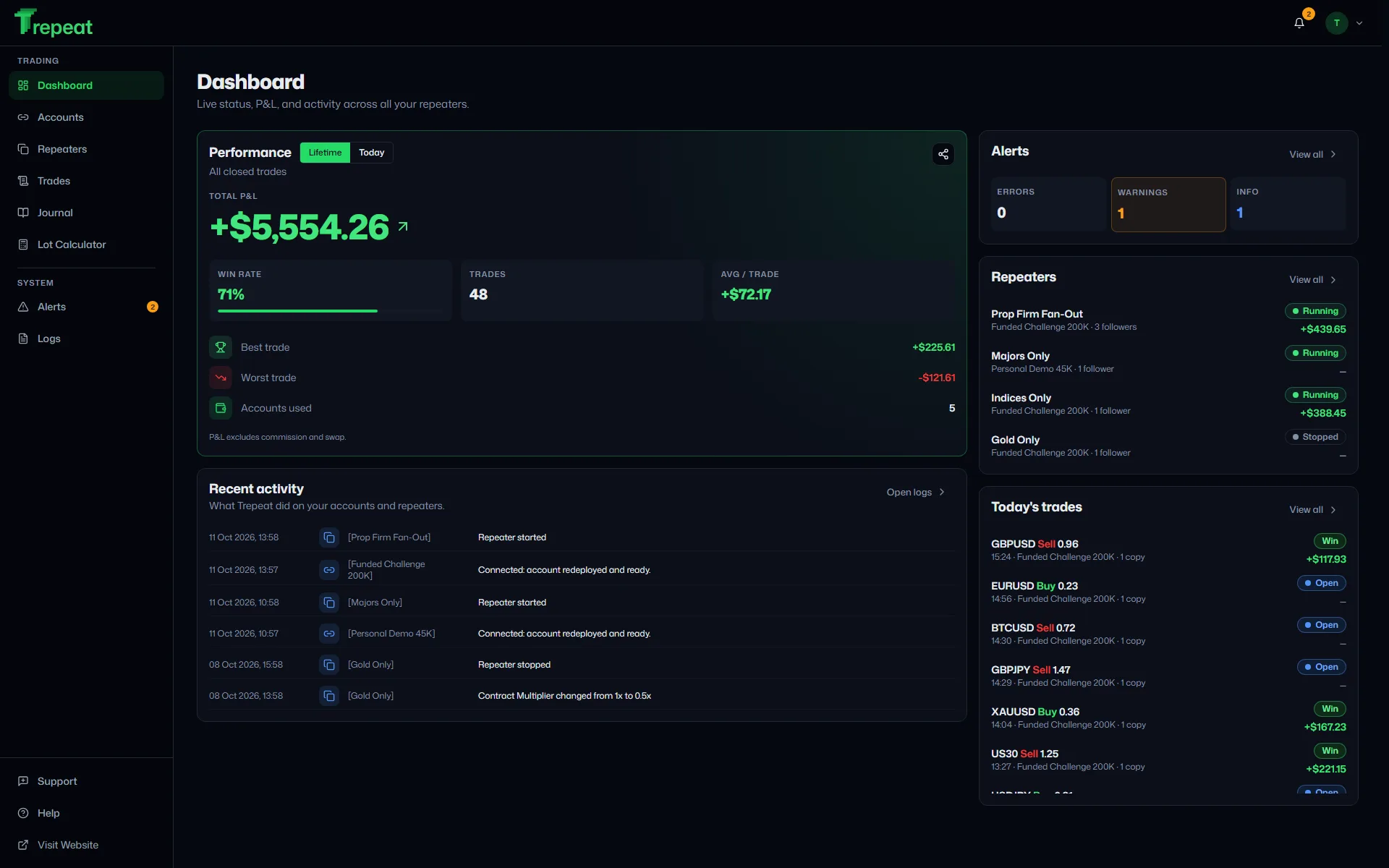
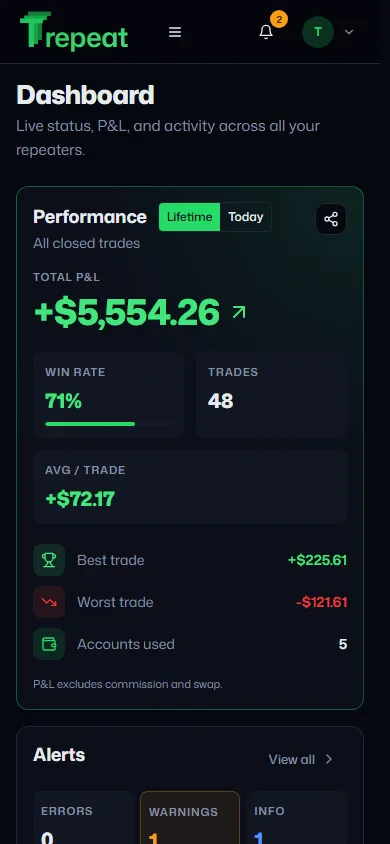
Dashboard — Live status, P&L, and per-account performance at a glance.
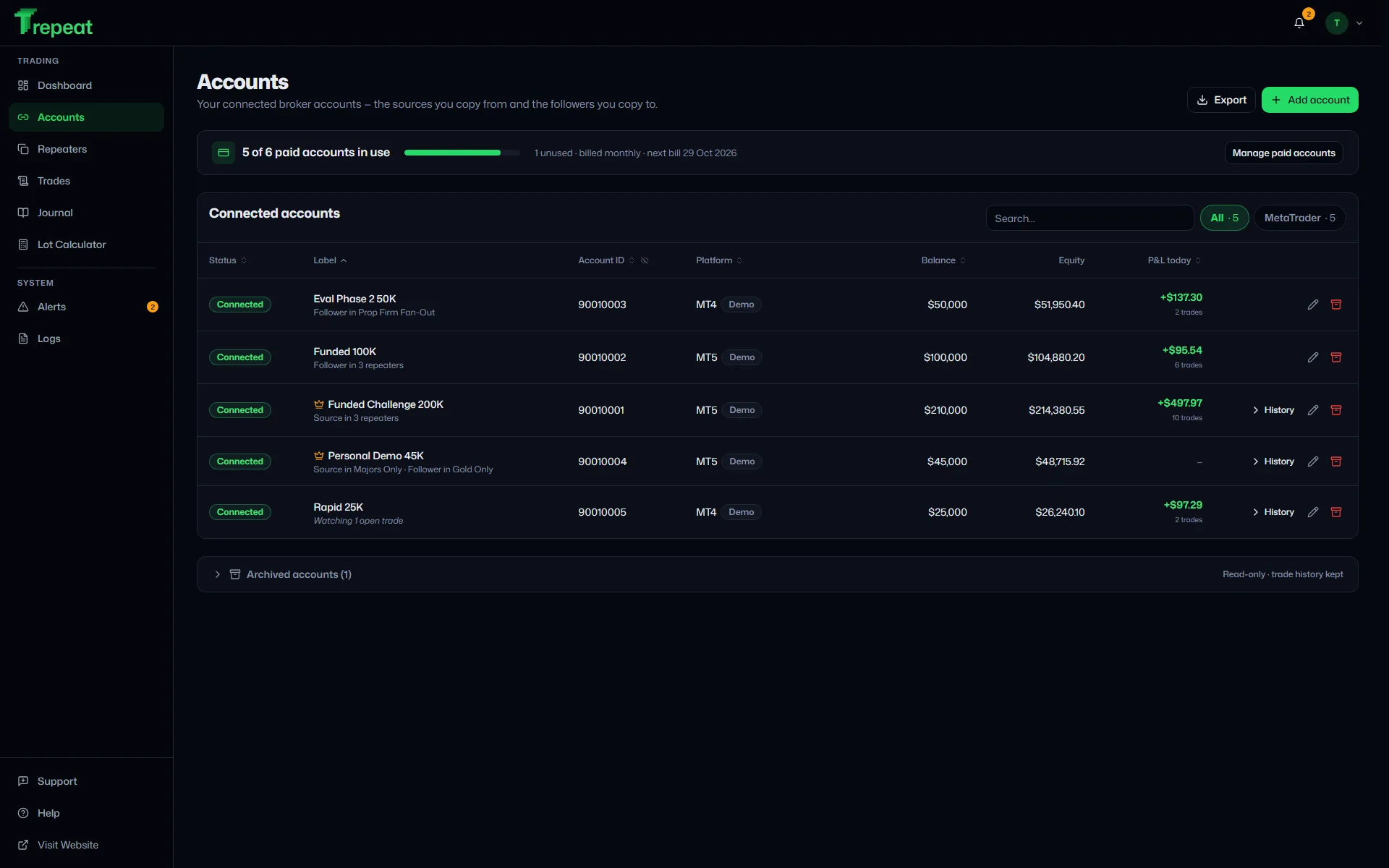
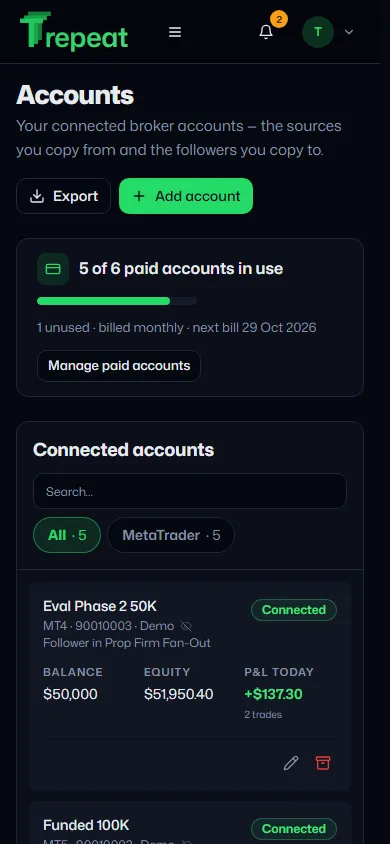
Accounts — The sources you copy from and the followers you copy to.
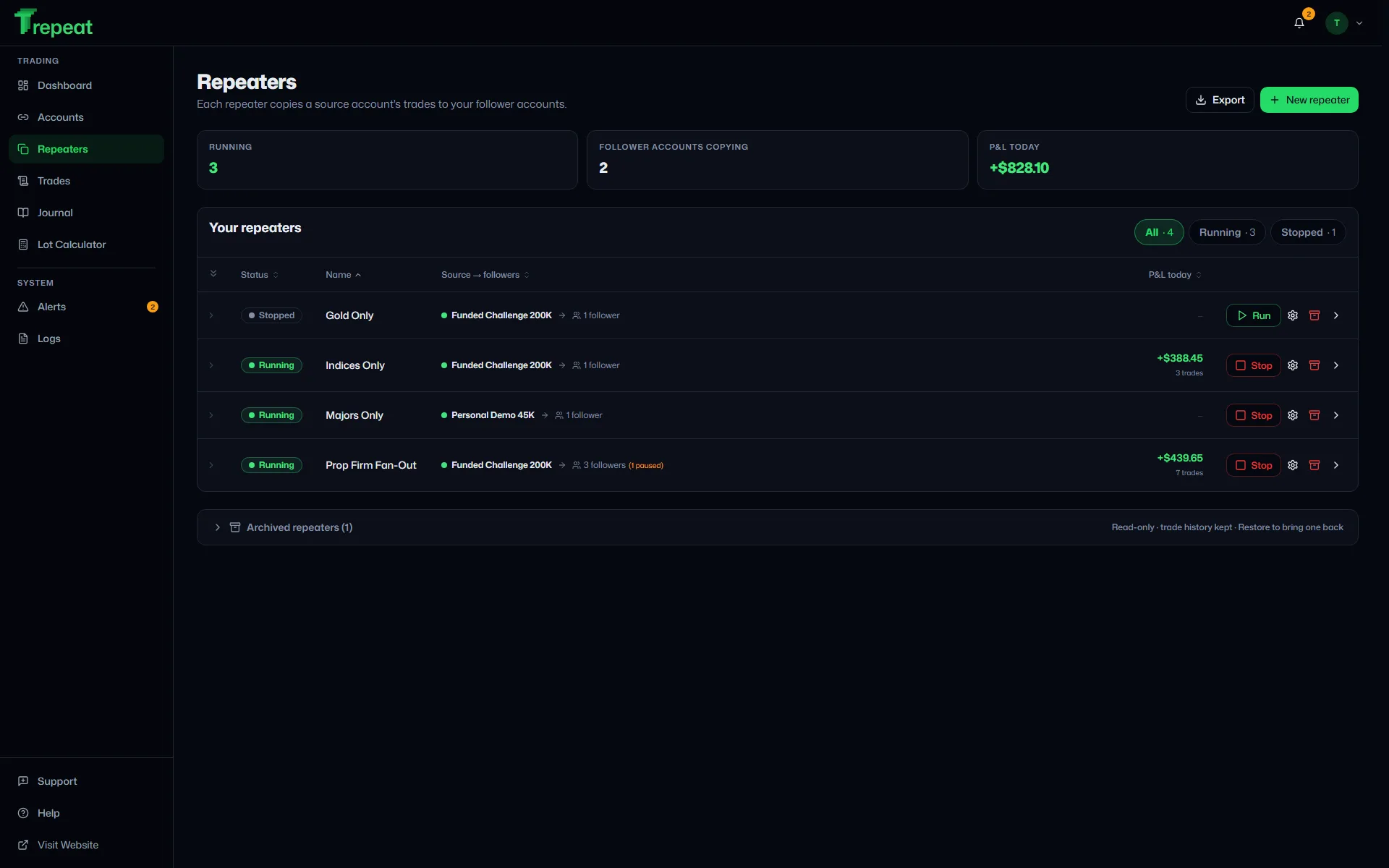
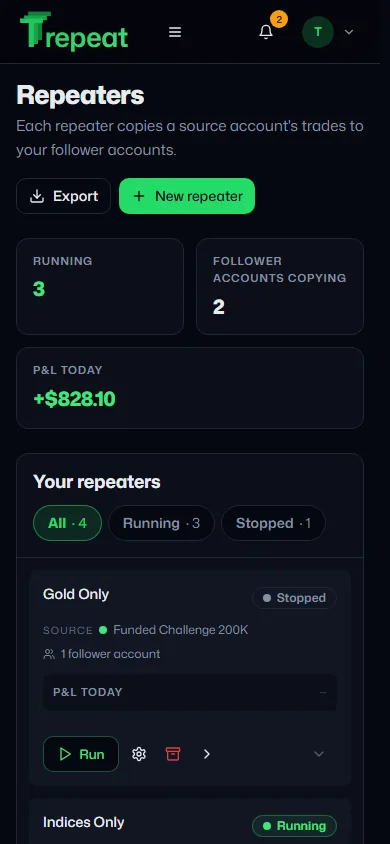
Repeaters — Sizing per repeater, symbol allowlists, and one-click Run / Stop.
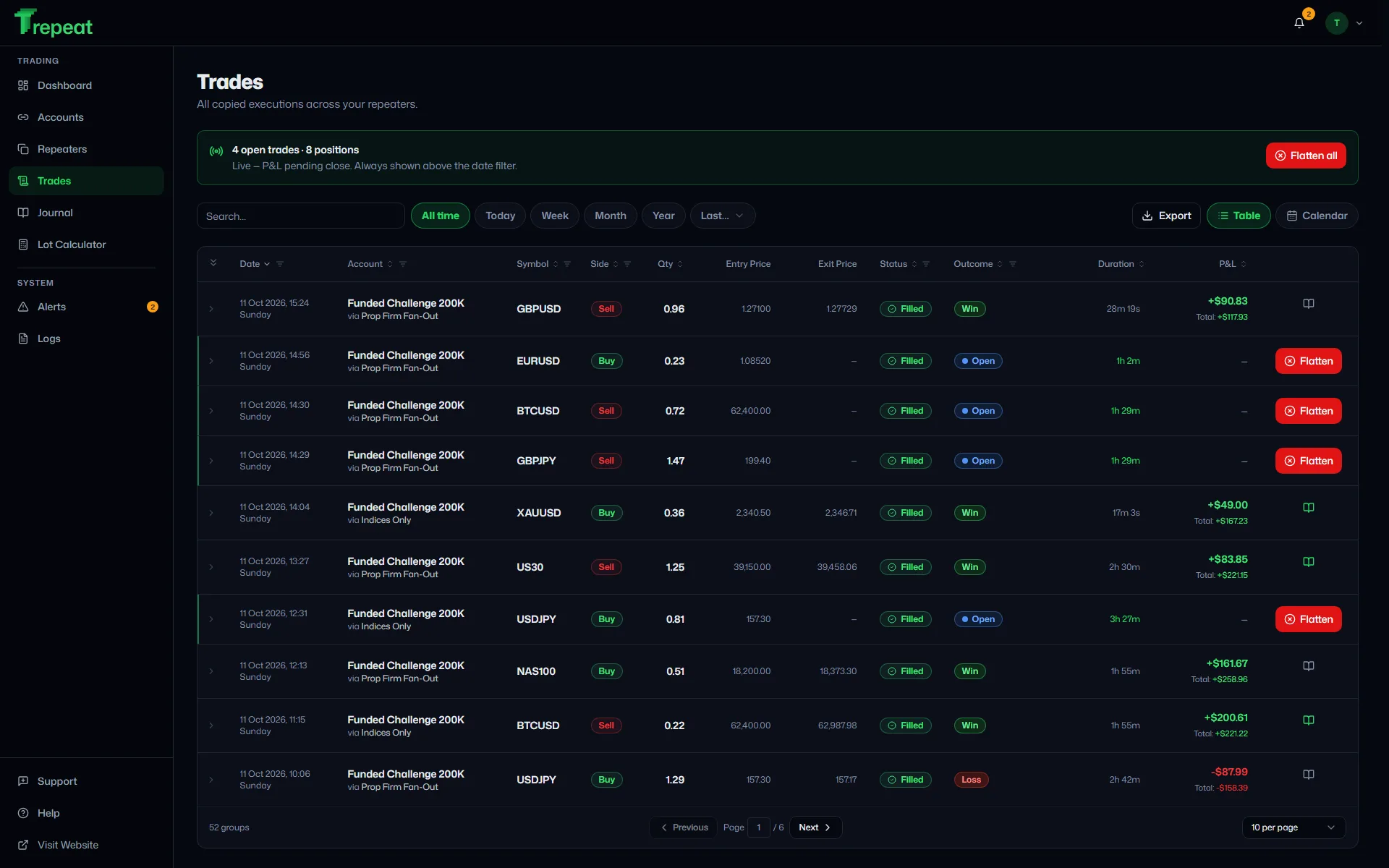
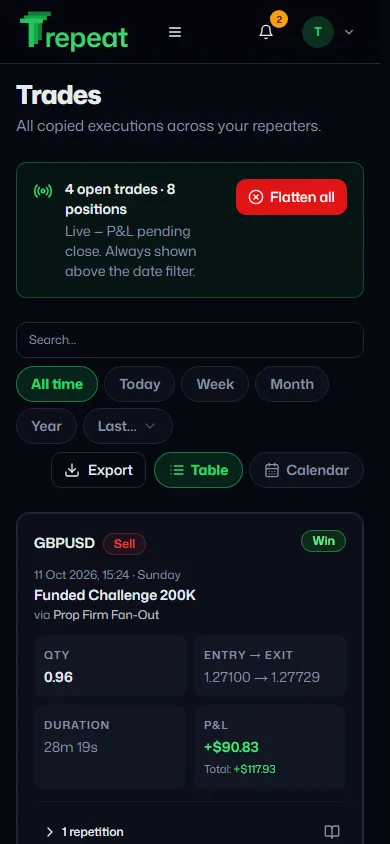
Trades — Every copied execution with latency, outcome, and live P&L.
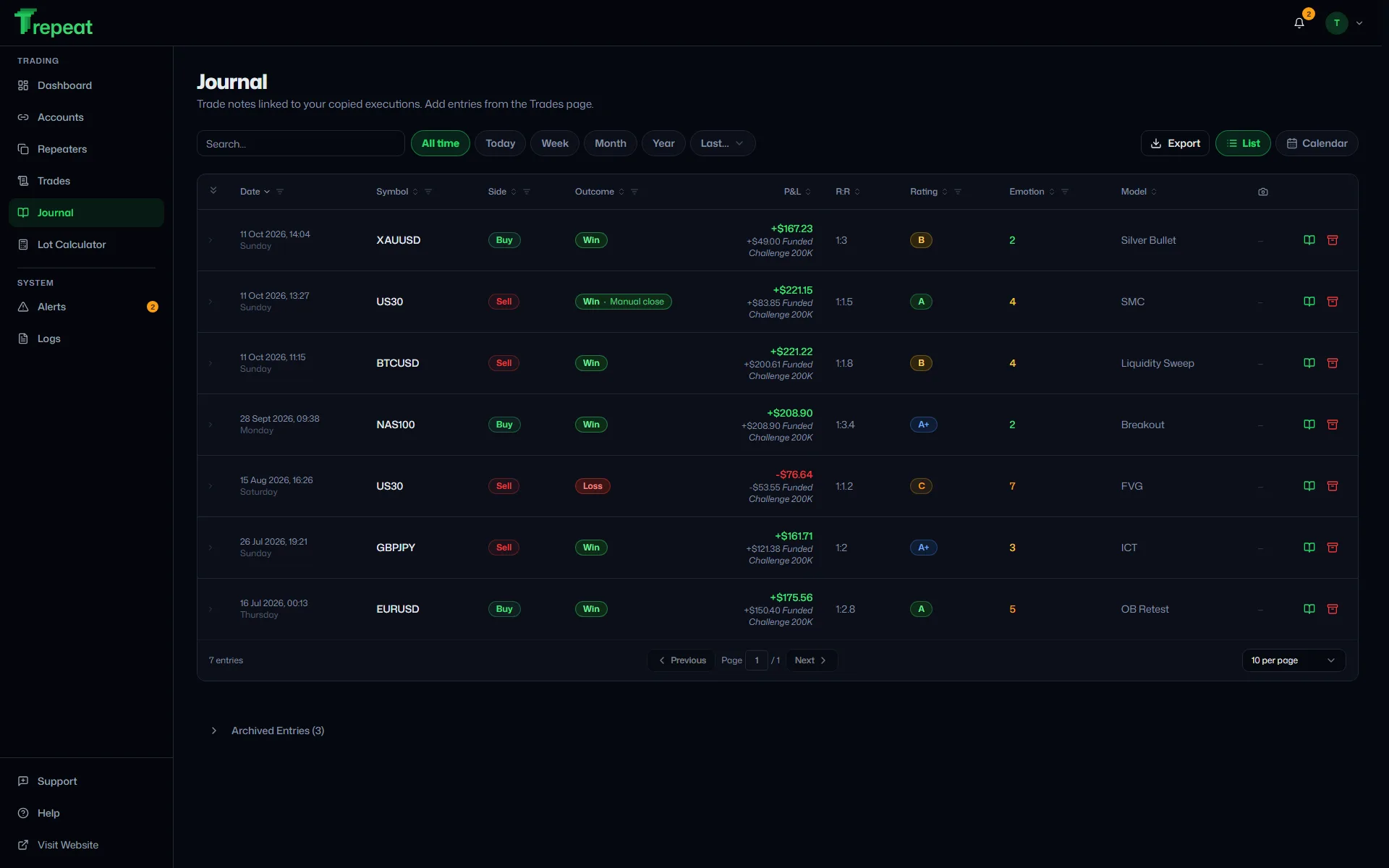
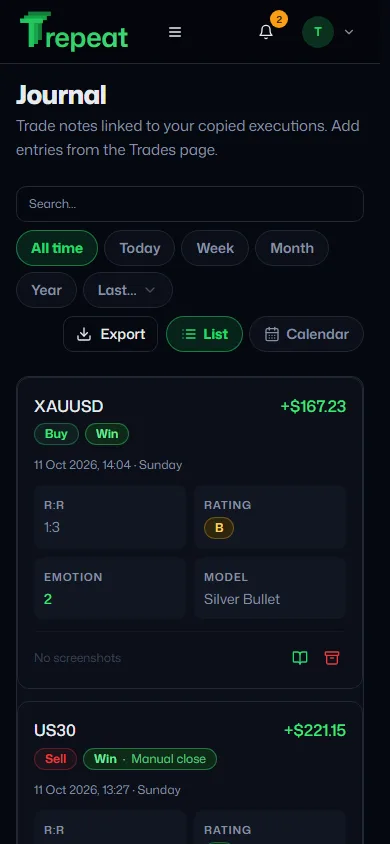
Journal — Tag your setups, rate execution, and review your edge.
MT4, MT5 and cTrader demo servers — where many prop-firm evaluation and funded accounts run



Copy trades to multiple accounts at once
Set it up once and every trade repeats on its own, sized by the rules you set. More on multi-account copying →
- Connect your accountsBroker login or cTrader ID
- Set up a repeaterSource, followers, sizing. Press Run
- Trade from anywhereDesk or phone
Any platform to any platform. Mix MT4, MT5 and cTrader followers under one source.
Sized and matched per account. Lots follow each account's equity or your multiplier; broker symbol names are remapped once.
Maximum lot per order. One cap per repeater: no single copy is bigger than you allow.
Alerts that reach you. In-app for every event; email when an account stays disconnected or copies keep failing.
Live P&L and journal. Every account's results in one place, with notes on each setup.
Closes checked. A follower that misses a close while offline raises an alert on reconnect. Flatten closes the source trade and every copy of it. Trades Trepeat isn't copying are never touched.
What each number means
Any platform to any platform. Mix MT4, MT5 and cTrader followers under one source.
Sized and matched per account. Lots follow each account's equity or your multiplier; broker symbol names are remapped once.
Maximum lot per order. One cap per repeater: no single copy is bigger than you allow.
Alerts that reach you. In-app for every event; email when an account stays disconnected or copies keep failing.
Live P&L and journal. Every account's results in one place, with notes on each setup.
Closes checked. A follower that misses a close while offline raises an alert on reconnect. Flatten closes the source trade and every copy of it. Trades Trepeat isn't copying are never touched.
Fast, always on, out of your way.
The engine runs around the clock in the cloud, so your PC can be off and your phone is all you need.
Real time
Pushed, not polled
Fills reach Trepeat over a live stream from each broker connection, and the order goes to every follower as soon as the fill arrives. Each follower's broker still sets its own execution time.
24/7
Always-on engine
Runs on AWS, not your computer. No VPS to rent, no EA to install.
30 s
Uptime probes
The site and app are checked every 30 seconds from several AWS regions, and the engine is watched by alarms around the clock.
Broker passwords encrypted
Kept in an encrypted vault and never sent to your browser. cTrader connects through its official sign-in, so Trepeat never sees that password at all.
Only copied trades are touched
Flatten closes the source trade and every copy of it. Trades Trepeat isn't copying are never touched.
Infrastructure we use


Recently shipped · Changelog →
- 3.0.0 · 11 Oct — A Get started checklist, one P&L card with verified sharing, a new design across the site and app, and cTrader accounts that reconnect on their own.
- 2.2.0 · 7 Oct — Per-account pricing: $15 a month, every feature included
- 2.1.0 · 4 Oct — A 7-day free trial on cTrader
Pricing
Everything included.
Pay only for the accounts you connect.
One price per account, the same on MT4, MT5 and cTrader. Your source and each follower count as one account each. No plans, no add-ons, no feature tiers. How pricing and the trial work →
- Unlimited repeaters
- MT4, MT5 and cTrader, any direction
- Lot sizing per repeater
- Maximum lot per order
- Symbol remapping
- Symbol allowlist
- Missed-close checks
- Flatten all copied trades
- Email and in-app alerts
- Live P&L and dashboard
- Trade journal
- Excel export
- Two-factor sign-in
- Phone and desktop
- No VPS, no EA
- Support tickets
- Unlimited repeaters
- MT4, MT5 and cTrader, any direction
- Lot sizing per repeater
- Maximum lot per order
- Symbol remapping
+ 11 more, all included
- Symbol allowlist
- Missed-close checks
- Flatten all copied trades
- Email and in-app alerts
- Live P&L and dashboard
- Trade journal
- Excel export
- Two-factor sign-in
- Phone and desktop
- No VPS, no EA
- Support tickets
Accounts
Minimum 2 — a source and a follower
$30per month
$15 per account per month
Tax included


Free trial on cTrader · 7 days, up to 3 accounts, no card
MT4 and MT5 connect as soon as you subscribe.
Questions
Which brokers are supported?
MetaTrader 4, MetaTrader 5 and cTrader, on demo accounts — which is what prop-firm evaluation and funded accounts usually run on, on either platform. MetaTrader works at any broker or prop firm MetaAPI can reach, on demo servers. cTrader works with cTrader demo accounts from a broker, or from a prop firm that issues them, which you sign in to with your cTrader ID. You can copy within one platform or across them, in either direction. Live real-capital accounts aren't supported for now.
More in the docs →Does it work with prop firm accounts?
That's who it's built for — CFD prop firms in particular. Run several evaluation and funded accounts side by side — one repeater per strategy, each with its own sizing and symbol rules — both stages usually run on demo accounts, whether that is a MetaTrader demo server or a cTrader demo account, which is what Trepeat connects. A challenge placed on a live account can't be connected on either platform. Trepeat never shares data with prop firms and doesn't read their evaluation rules; check your firm's terms on copy-trading before you connect an account.
More in the docs →Does it work on a phone or tablet?
Yes — the whole app, not a cut-down version. Tables become cards below tablet width so nothing is cut off or sideways-scrolling, and every main page is checked at phone width as part of the test suite. Copying itself runs on our servers either way, so your phone is only ever a window onto it: closing the app, losing signal or running out of battery does not stop a repeater.
How does sign-in work? What if I lose access to my email?
Sign-in is passwordless — you type your email, we send a one-time magic link. There's no password to forget or leak. If you ever lose access to that mailbox, you can recover the account with any three of the ten single-use recovery codes you saved at sign-up, or with any one code plus a verified backup email. Two-factor authentication via an authenticator app is optional but recommended.
More in the docs →Is there a free trial?
Yes — 7 days. The free trial covers up to 3 cTrader accounts. MT4 and MT5 connect as soon as you subscribe. No card needed. Add a card before the trial ends to keep your repeaters running. If you don't, the trial ends, your repeaters stop, and the account is deleted 30 days later.
More in the docs →How is Trepeat priced?
$15 per account per month, or $165 per account per year (one month free), tax included — the same on MT4, MT5 and cTrader, with every feature and unlimited repeaters included. You pay for at least 2 accounts, so from $30 a month, and up to 20 from the app; more by contacting us. Adding an account beyond the ones you pay for is charged straight away for the rest of the billing period, with the amount shown before you confirm; lowering the number applies from your next bill. MetaTrader accounts have a connection allowance: up to 2 new MetaTrader connections per paid account in any 30 days (cTrader has none).
More in the docs →Do prices include tax?
Yes. The price shown is the price you pay, in every country: any VAT, GST or sales tax is included in it, never added on top. Businesses in the EU can enter a VAT number at checkout when the field is offered, or ask support for a VAT invoice; the reverse charge applies where EU rules provide for it, and the price is the same either way.
More in the docs →What counts as an account?
Every broker account you have connected, the source included — one source and three followers is four accounts. Repeaters don't count: the same account in five repeaters is still one. An archived account doesn't count either, and archiving one doesn't lower your bill — the account you paid for is free for another until you lower the number in Settings.
More in the docs →Can I cancel any time?
Yes. Cancellation stops at the end of the current billing period — you keep access until then with no further charges. The 7-day trial is fully cancellable with no charge.
More in the docs →How fast are trades repeated?
In real time. Fills are pushed to Trepeat the moment they happen and dispatched to every follower account simultaneously. Fills missed while a connection was down are not opened after the fact, and nothing records them. If a follower misses a close while it is offline, Trepeat alerts you when it reconnects so you can close that copy yourself. A copy that fails or is skipped shows on the Trades page with the reason, and raises an alert.
More in the docs →Are stop loss and take profit copied?
No. Follower copies open with no stop loss or take profit, and moving them on the source changes nothing on the followers. When the source position closes — by hand, or because its stop loss or take profit was hit — each follower copy closes too, at its own broker's market price. Pending orders aren't copied either: a limit or stop order resting on the source places nothing on the followers, and when it fills, the followers get a market order at that moment.
More in the docs →Will Trepeat ever touch my manual trades?
Only a trade it is copying, and only when you press Flatten. The engine tags every position it places — with a magic number on MetaTrader and a label on cTrader — and its automatic closes only ever touch those copies. Flatten closes the source trade and every copy of it. Trades Trepeat isn't copying are never touched.
More in the docs →Can I control how many contracts are repeated?
Yes. Per repeater you set the sizing mode — a fixed multiplier of the source quantity, or equity-ratio (each follower auto-scales by its account equity) — plus a max-volume cap, symbol allowlist, and symbol remapping. These apply to every follower on the repeater; any follower can also be paused independently.
More in the docs →What happens if the connection drops?
The connection auto-reconnects on every disconnect. A reconnect sweep checks every 30 seconds while something is outstanding, and every 5 minutes otherwise. If a follower missed a close while it was offline, the sweep alerts you so you can close that copy yourself. A follower that goes offline raises an alert and is paused so the other followers carry on; once it reconnects, unpause it (or press Run if the repeater stopped).
More in the docs →Will it create duplicate orders?
Trepeat never sends an order twice for one fill: every fill is de-duplicated, so seeing it twice (live stream + post-reconnect history replay) does not send a second order. If a broker executes a copy twice or late, Trepeat detects it and tells you.
More in the docs →Are my broker credentials secure?
Credentials are encrypted in Supabase Vault using authenticated encryption (libsodium AEAD via pgsodium). Encryption keys live separately from the encrypted data and are never exposed through the web interface or any API response. cTrader accounts go further: you sign in with your cTrader ID on cTrader's own site, so Trepeat never sees or stores your cTrader password — only the authorisation you grant, encrypted the same way.
More in the docs →Still stuck? Browse the Help Centre or email support@trepeat.com.
Trade once. Repeat everywhere.
Free trial on cTrader · 7 days · up to 3 accounts · no card
MT4 and MT5 connect as soon as you subscribe.